How to Check Balance in Ooredoo Qatar
Customers of Ooredoo can check Ooredoo bill details by following these steps. People who are looking for how to check Ooredoo bill amount then you are right place. We have provided steps to check Ooredoo bill online, People who want to check their Ooredoo bill amount can easily check your bill balance. If you want to check your Ooredoo account bill amount then you can simply enter the code and forward it prescribed toll free number below.
How to Check Ooredoo bill Details
Step – 1: Initially create a new Message by below following codes:
Step – 2: For English — Type BAL SPE – For Arabic — Type BAL SPA
Step – 3: Forward this code to 114 number which is free of charge.
Step – 4: Now you will get an SMS of Ooredoo bill details.
Viewers who want to change their Ooredoo wifi password and looking for help on how to change it can simply follow the below procedure. we have easily specified in pictures in this article. All our viewers who have doubts regarding Checking Ooderoo bill amount details, How to recharge Ooderoo account, and How to change Ooderoo wifi password can follow all our guidelines.
How to Topup and Recharge Ooredoo Qatar:
To Recharge your Ooredoo online, you should install the Ooredoo app on your mobile. So, that you can easily top up Oooredoo.
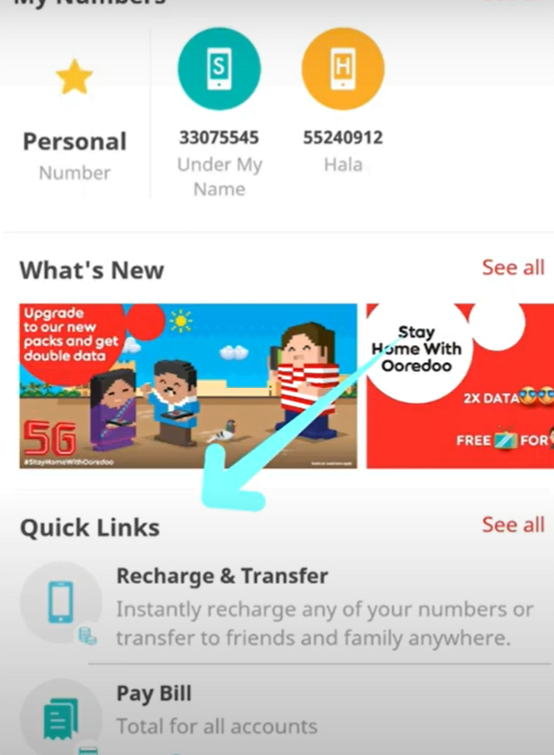
- Open the Ooredoo app on your mobile for payment, You can log in with your account. You can check Recharge & transfer, Pay Bill fields. Now click on Recharge & Transfer field.
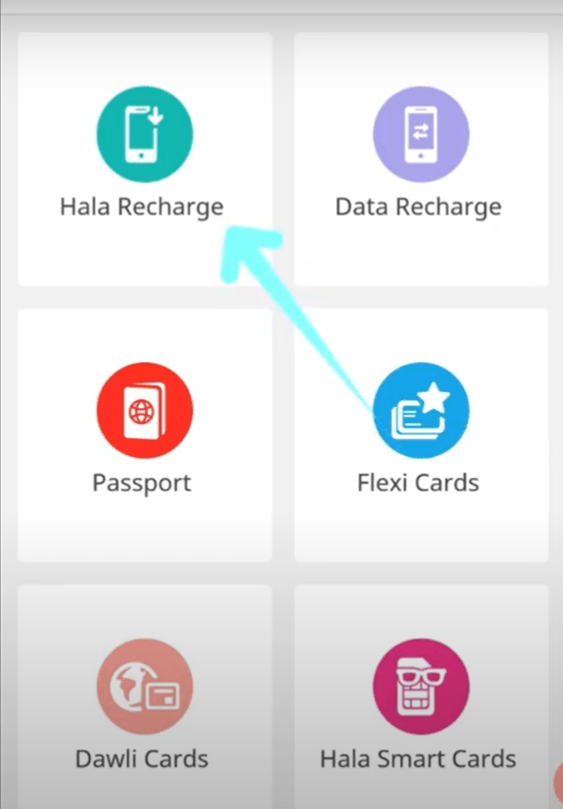
- Here you will navigate to the next page, you will see Hala Recharge, Data recharge, Passport, Flexi cards, Dawli cards, and Hala smart cards.
- You need to select the Hala Recharge option to pay the bill.
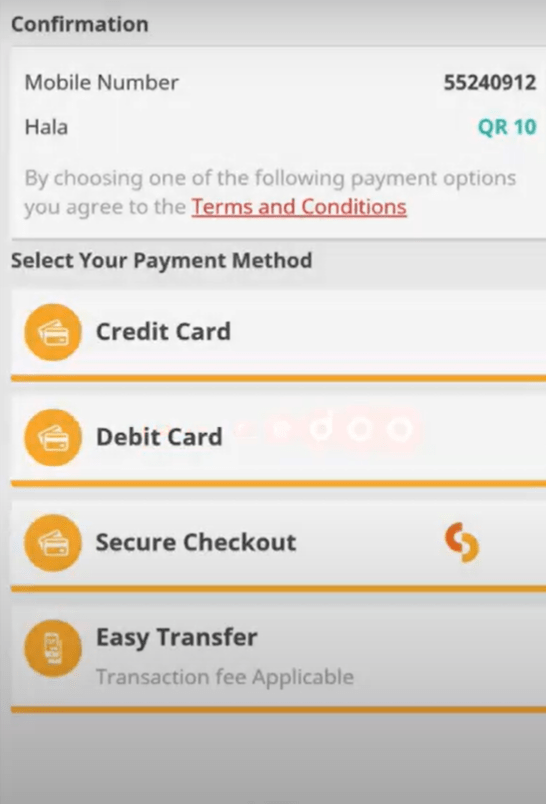
- In this step, you should enter your Mobile number and select the Ooredoo top up offers as shown in the below picture.

- Now, select the payment method, if you are using Credit/Debit you should mention your card details.
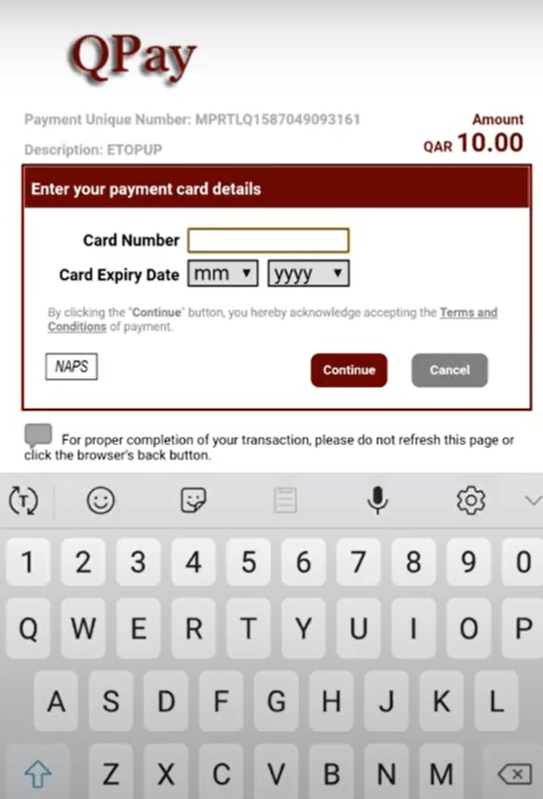
- Now fill up your card number, Card expiry date in the empty fields.
- You will receive an OTP – One Time Password for security purposes.
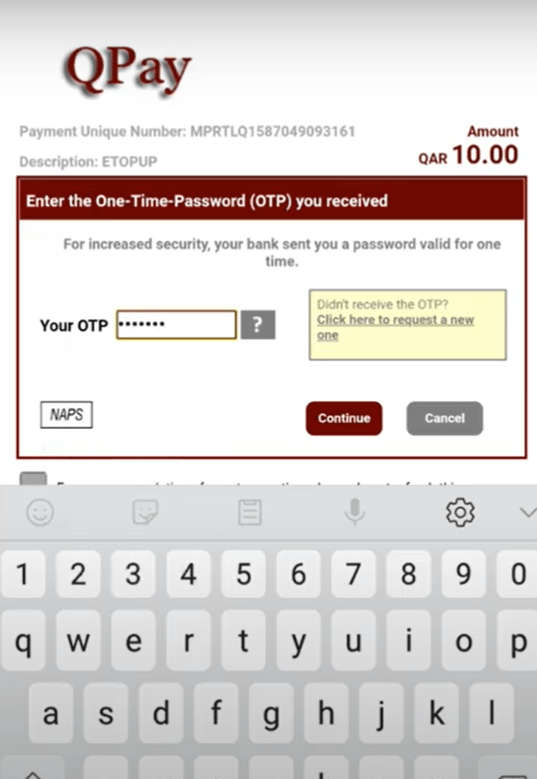
- Finally, enter your Debit card PIN number which is a 4 or 6 digit PIN, and click on the Pay button.

- At last, your Ooredoo payment is successful.

Read more- https://jobsatgulf.org/qatar/change-ooredoo-wifi-password/






Leave a Reply