How to Change Ooredoo Wifi Password

How to Change Ooredoo Wifi Password

  • Initially open the Ooredoo 4G wifi router by entering router ID.
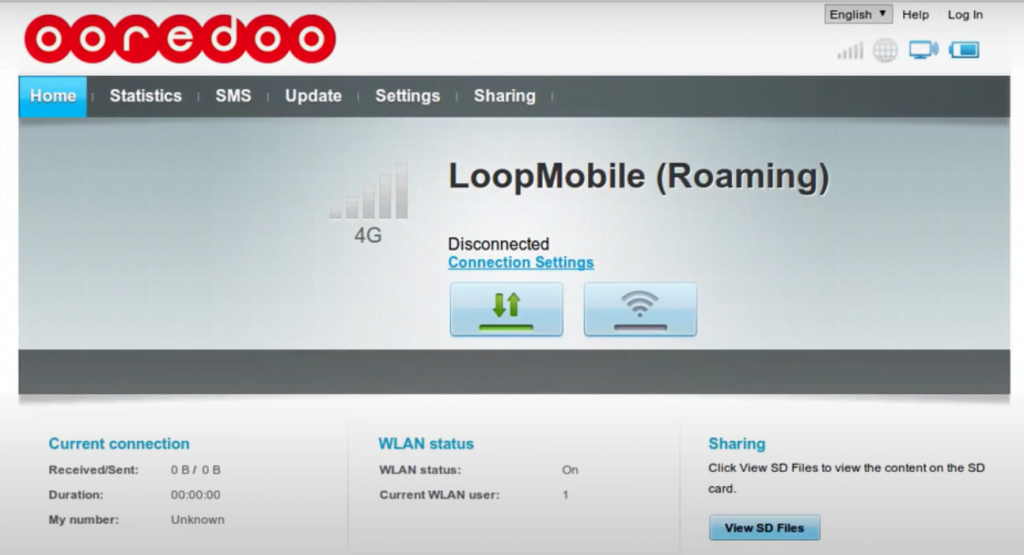
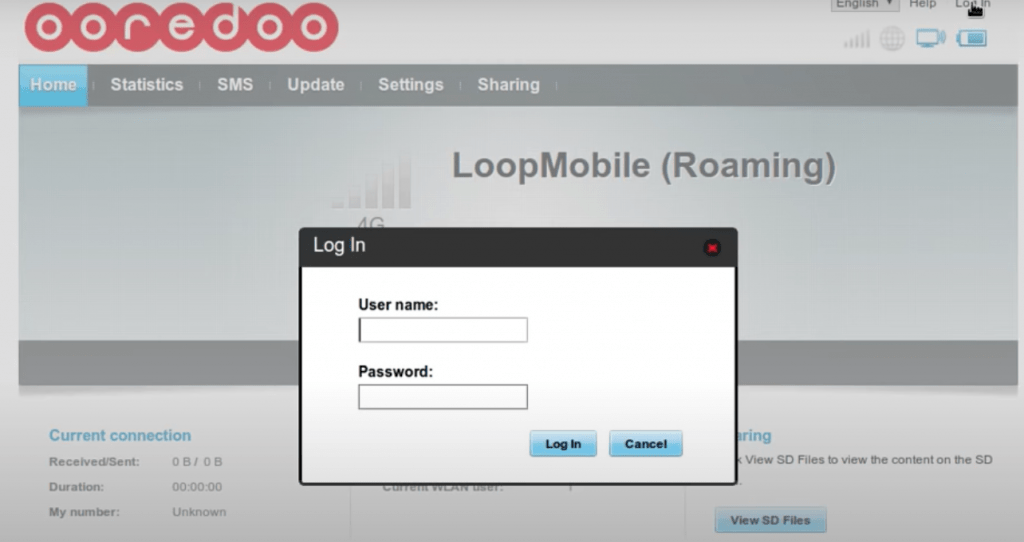
  • Now you will be navigated to the home page, Here you need to login by entering your User name and Password. Click on the login button.


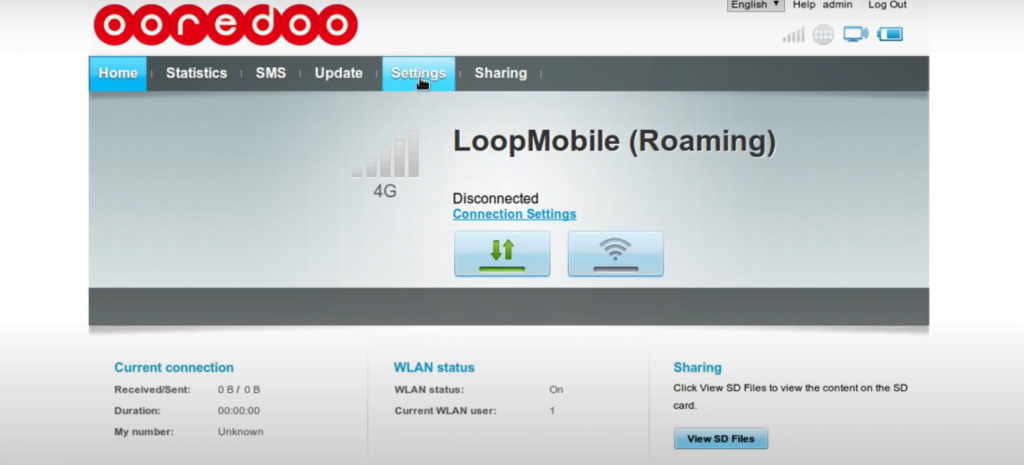
  • After that, you should visit “SETTINGS” on the home page
 

  • Here you need to select left side options, Here you should choose WLAN
  • Settings -> WLAN -> WLAN Basic settings.
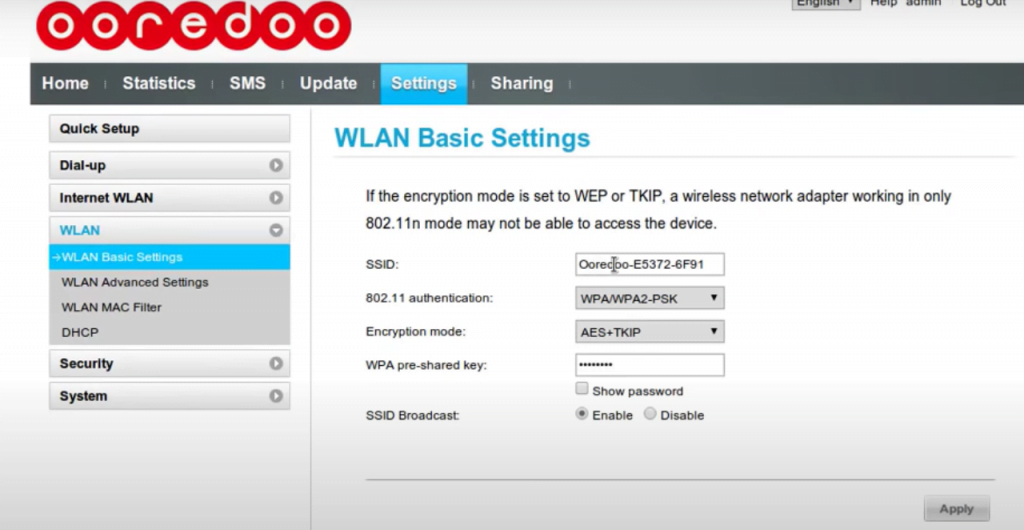
 

  • WLAN Basic settings you can see SSID,  If you want to change SSID you should change it here. If you want to change the password here.
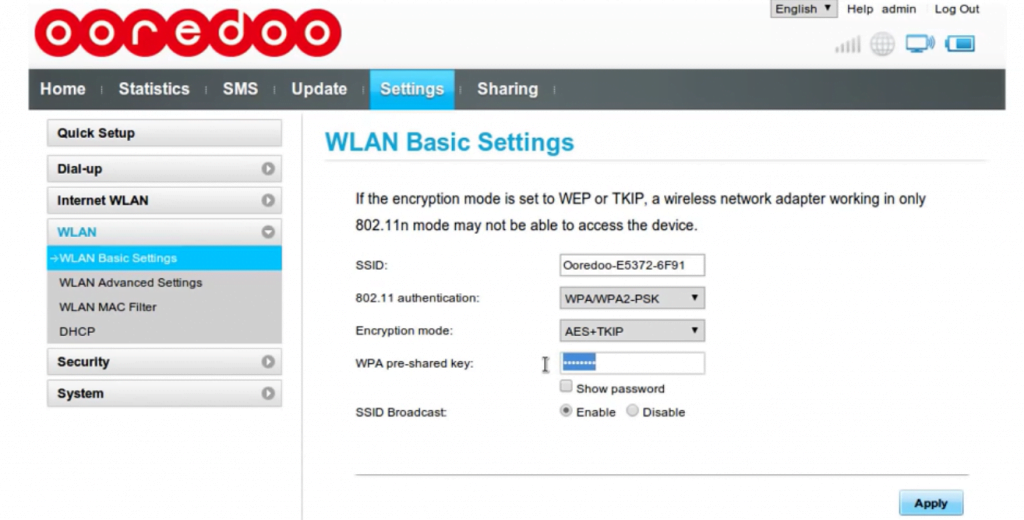
 

  • Finally, you have to click on the apply button, to finish this process.
  • By following these steps you can change the Ooredoo wifi password easily and also SSID.

 

  • Urgently Required For Leading Company – Abudhabi.

    Urgently Required For Leading Company – Abudhabi.

    Post by:

    /

  • URGENTLY REQUIRED FOR SAUDI ARABIA

    URGENTLY REQUIRED FOR SAUDI ARABIA

    Post by:

    /

  • URGENTLY REQUIRED FOR REPUTED CO. KSA

    URGENTLY REQUIRED FOR REPUTED CO. KSA

    Post by:

    /

  • HIRING FOR UAE HIGHRISE BUILDING PROJECT CALL FOR MORE DETAILS 9791553048
  • Hiring for Maintenance Company UAE

    Hiring for Maintenance Company UAE

    Post by:

    /

  • Post by:

    /

  • URGENT REQUIREMENT FOR SAUDI ARABIA (ROAD PROJECT) MAINTENANCE COMPANY
  • URGENTLY REQUIRED FOR SAUDI ARABIA ✈️🇸🇦 💚 FREE RECRUITMENT 💚
  • Saudi Arabia Oil & Gas Jobs 2026 | Direct Client Interview in Trichy!

Leave a Reply

Your email address will not be published. Required fields are marked *