How to Change Ooredoo Wifi Password

How to Change Ooredoo Wifi Password

  • Initially open the Ooredoo 4G wifi router by entering router ID.
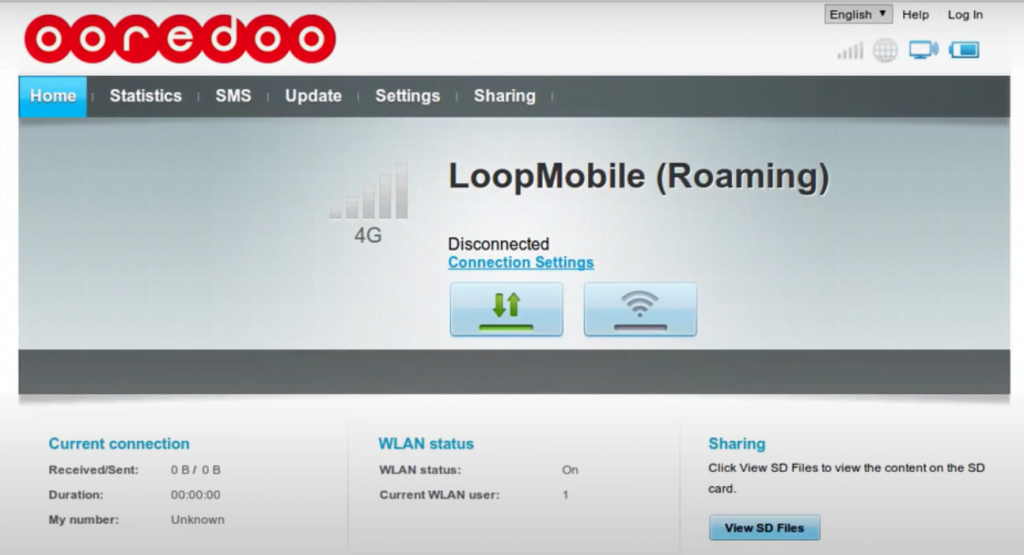
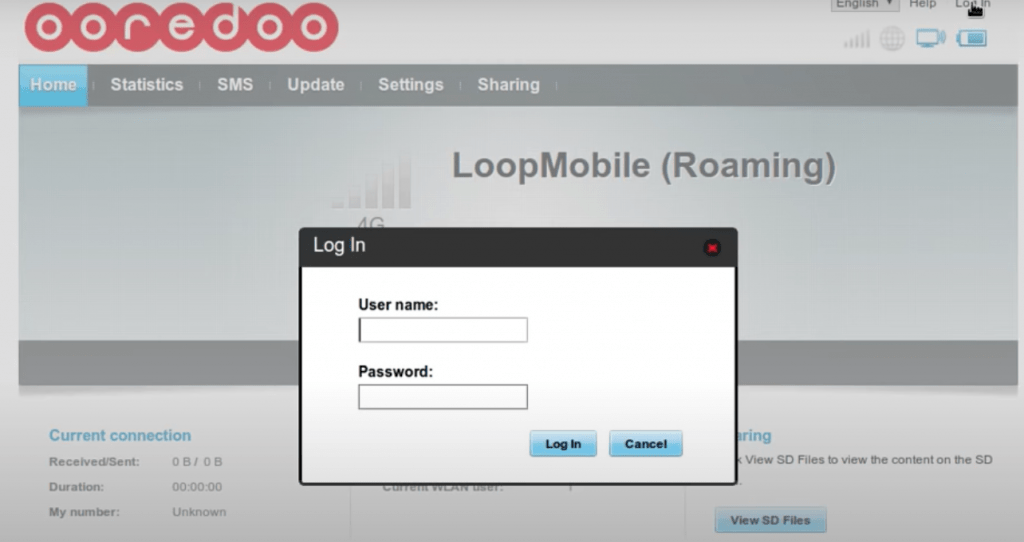
  • Now you will be navigated to the home page, Here you need to login by entering your User name and Password. Click on the login button.


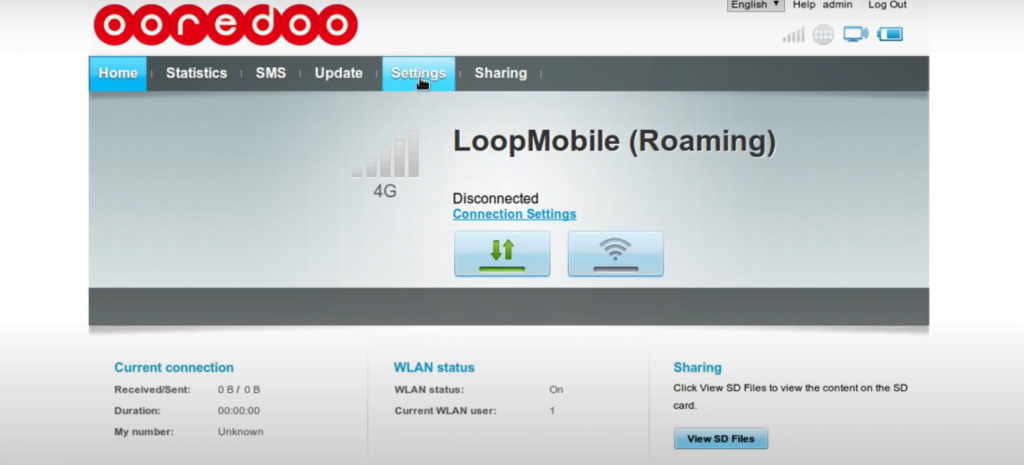
  • After that, you should visit “SETTINGS” on the home page
 

  • Here you need to select left side options, Here you should choose WLAN
  • Settings -> WLAN -> WLAN Basic settings.
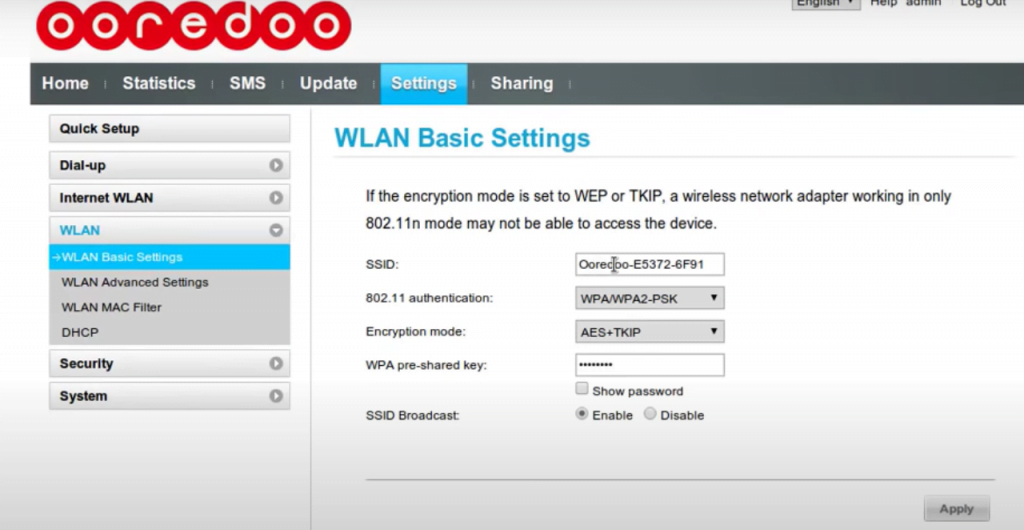
 

  • WLAN Basic settings you can see SSID,  If you want to change SSID you should change it here. If you want to change the password here.
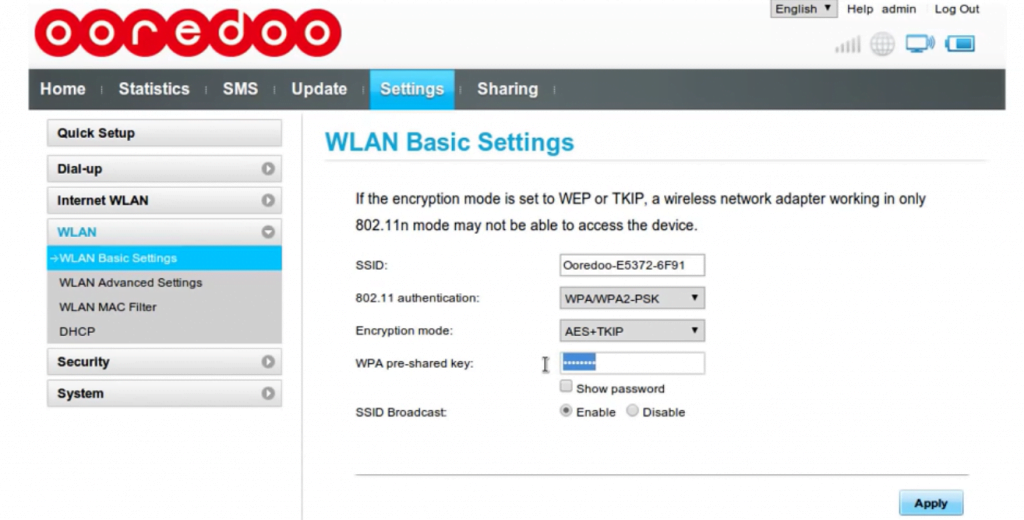
 

  • Finally, you have to click on the apply button, to finish this process.
  • By following these steps you can change the Ooredoo wifi password easily and also SSID.

 

  • FACE – FACE CLIENT INTERVIEW FOR HYPERMARKET – OMAN
  • Post by:

    /

  • URGENT HIRING | KUWAIT | LONG TERM PROJECT

    Post by:

    /

  • Pathology Lab Technician Oman

    Pathology Lab Technician Oman

    Post by:

    /

  • DIRECT CLIENT INTERVIEW ON 03.05.2026 @ TRICHY

    DIRECT CLIENT INTERVIEW ON 03.05.2026 @ TRICHY

    Post by:

    /

  • DIRECT CLIENT INTERVIEW ON 03.05.2026 @ TRICHY

    DIRECT CLIENT INTERVIEW ON 03.05.2026 @ TRICHY

    Post by:

    /

  • Untitled post 206742

    Post by:

    /

  • HIRING FOR A LEADING READYMIX COMPANY – FUJAIRAH (UAE).

    HIRING FOR A LEADING READYMIX COMPANY – FUJAIRAH (UAE).

    Post by:

    /

  • Industrial Production, Loader Machine Operator, Kitchen Cabinet Installer, Elevator Installation Technician Bulgaria

Leave a Reply

Your email address will not be published. Required fields are marked *