How to Change Ooredoo Wifi Password

How to Change Ooredoo Wifi Password

  • Initially open the Ooredoo 4G wifi router by entering router ID.
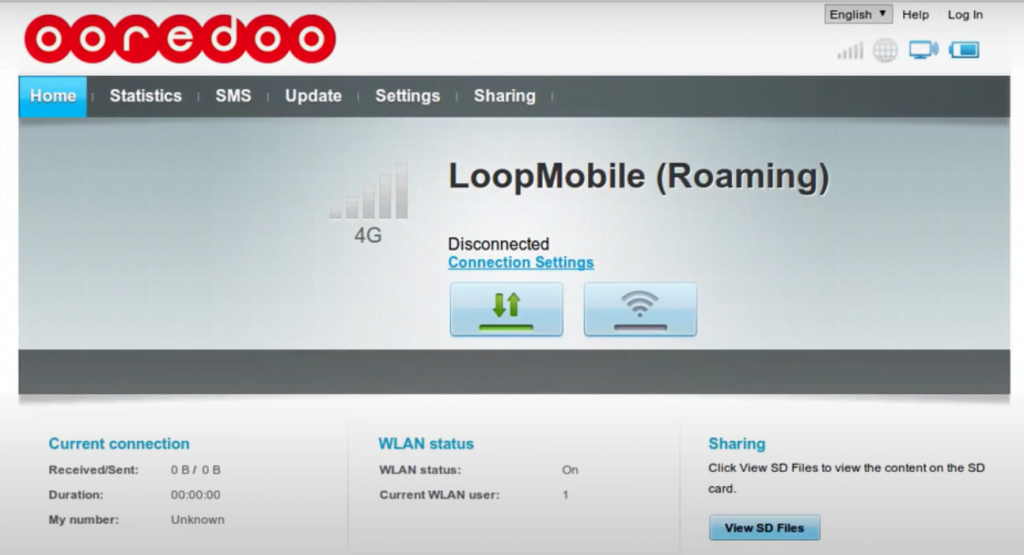
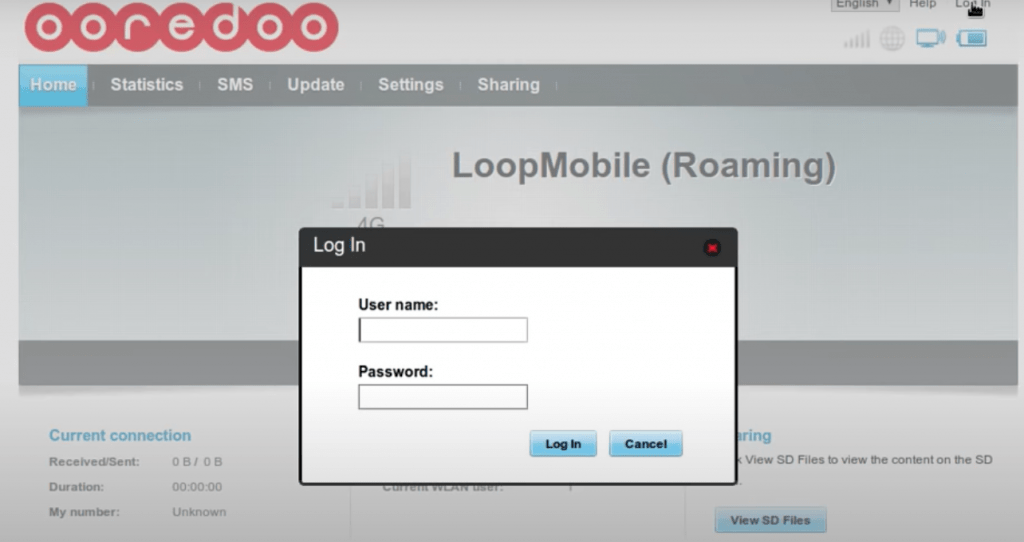
  • Now you will be navigated to the home page, Here you need to login by entering your User name and Password. Click on the login button.


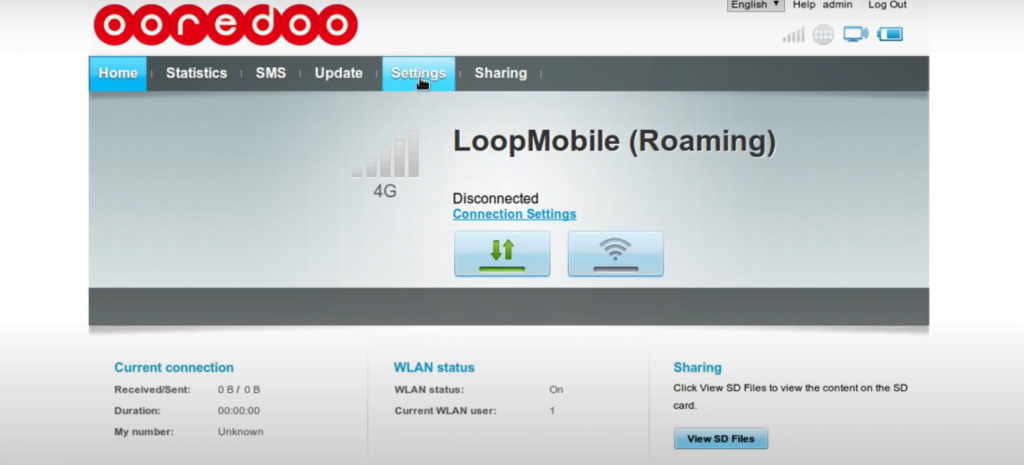
  • After that, you should visit “SETTINGS” on the home page
 

  • Here you need to select left side options, Here you should choose WLAN
  • Settings -> WLAN -> WLAN Basic settings.
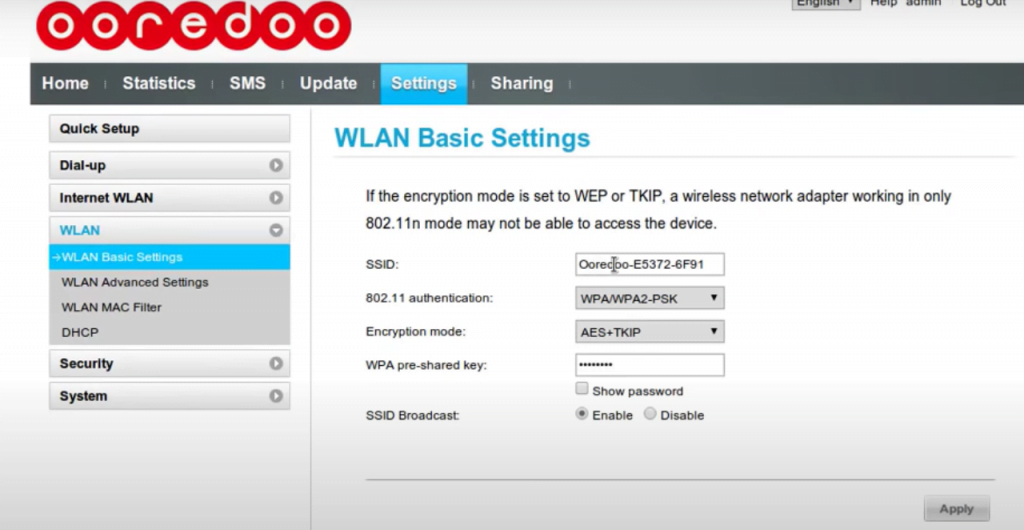
 

  • WLAN Basic settings you can see SSID,  If you want to change SSID you should change it here. If you want to change the password here.
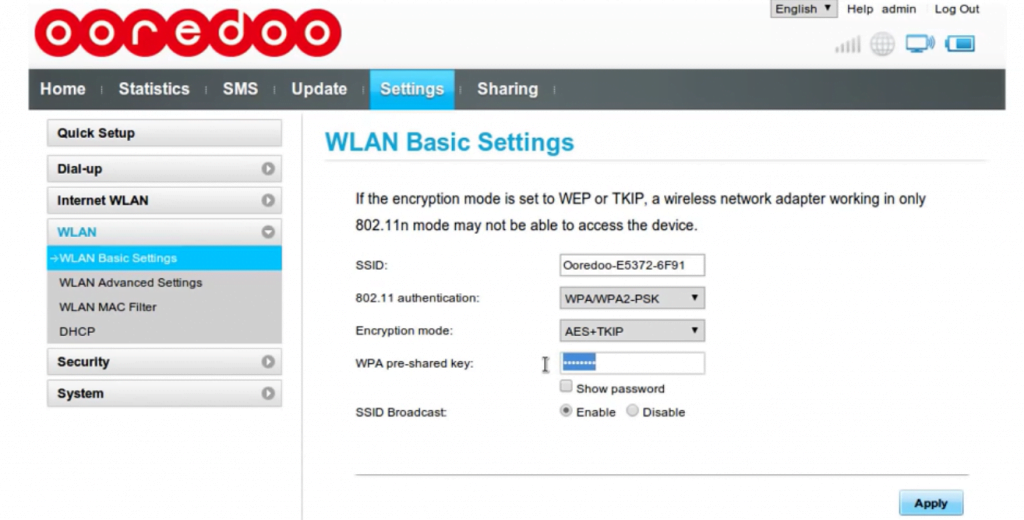
 

  • Finally, you have to click on the apply button, to finish this process.
  • By following these steps you can change the Ooredoo wifi password easily and also SSID.

 

  • TECHNICIAN JOBS AT MUSCAT

    Post by:

    /

  • TECHNICIAN JOB INTERVIEW FOR KUWAIT

    Post by:

    /

  • JOBS IN BAHRAIN  FAMILY STATUS VACANCIES

    JOBS IN BAHRAIN FAMILY STATUS VACANCIES

    Post by:

    /

  • HANA WATER CO SAUDI TECHNICIAN JOBS

    Post by:

    /

  • HUGE TECHNICIAN JOBS AT SAUDI

    Post by:

    /

  • JOBS IN SAUDI AL MOBTY CO

    Post by:

    /

  • SAUDI JOBS AT AL OTHIAM GROUP

    Post by:

    /

  • NADA DAIRY SAUDI LARGE VACANCIES

    Post by:

    /

  • TECHNICIAN JOB INTERVIEW FOR SAUDI

    TECHNICIAN JOB INTERVIEW FOR SAUDI

    Post by:

    /

Leave a Reply

Your email address will not be published. Required fields are marked *